Dropbox
Keep life organised and work moving
CTAs, links, interactive states
Hover state
Brand moments, creative highlights (rare)
Secondary accent
Headings, body
Captions, metadata
Placeholders
App background
Warm off-white sections, sidebar
Dividers, input borders
Light section separators
Synced, shared, uploaded
Sync errors, conflicts
Storage warnings, pending
Informational (uses brand blue)
Design System Inspired by Dropbox
1. Visual Theme & Atmosphere
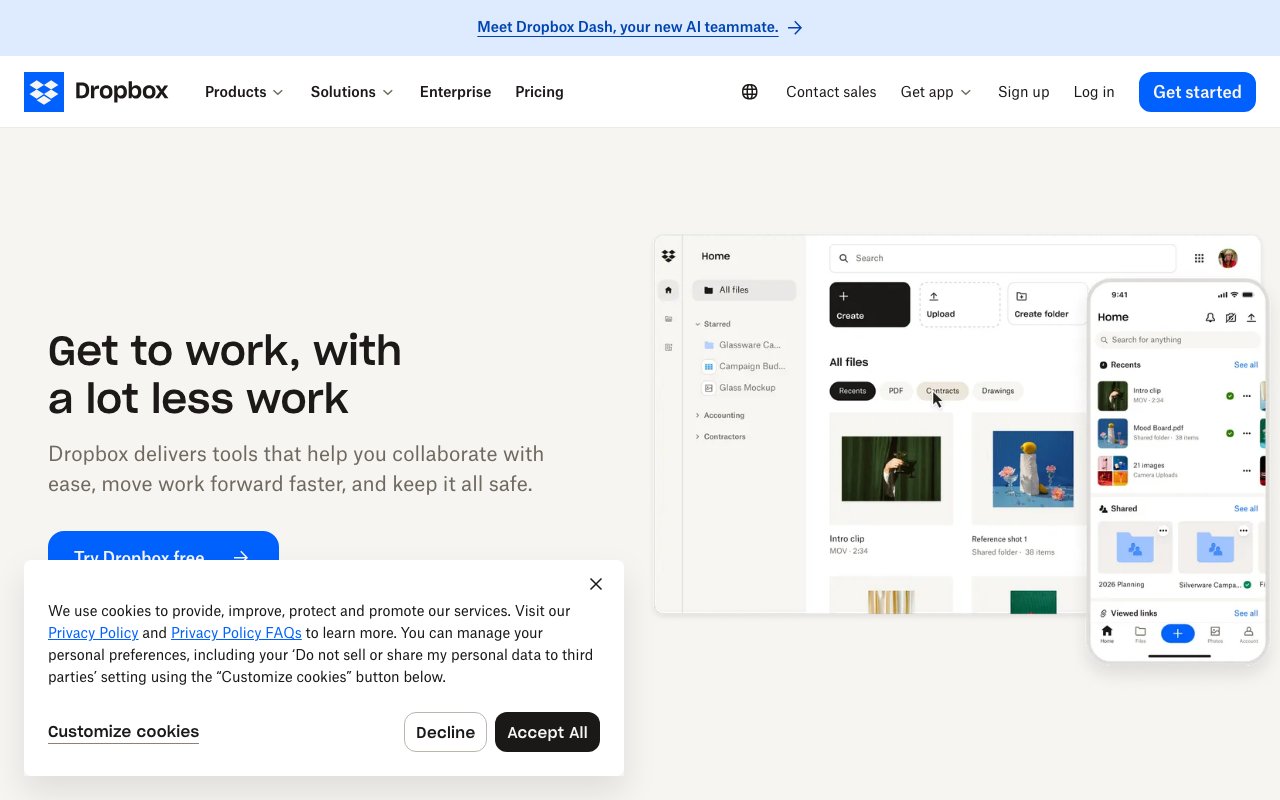
Dropbox underwent a bold rebrand — moving from corporate blue to an expressive creative system. Confident blue for interactivity on a warm off-white canvas. The brand voice is direct and creative, reflected in large, heavy Sharp Grotesk typography that makes a statement.
Key Characteristics:
- Bold blue on warm off-white — confident and approachable
- Sharp Grotesk at heavy weights — headlines make a statement
- Warm paper-like surfaces instead of clinical white
- Creative-professional tone: not corporate, not casual
2. Color Palette & Roles
Primary
- Blue (
#0061FF): CTAs, links, interactive states - Blue Dark (
#0048BD): Hover state
Accent Colors
- Coral (
#FF5C35): Brand moments, creative highlights (rare) - Sunset (
#FF8C69): Secondary accent
Neutral Scale
- Text Primary (
#1E1919): Headings, body - Text Secondary (
#637282): Captions, metadata - Text Muted (
#9EA9B2): Placeholders
Surface & Borders
- Background (
#FFFFFF): App background - Surface Warm (
#F7F5F2): Warm off-white sections, sidebar - Border (
#D8D6D3): Dividers, input borders - Border Subtle (
#EDECEA): Light section separators
Semantic / Status
- Success (
#0AC27D): Synced, shared, uploaded - Error (
#C0392B): Sync errors, conflicts - Warning (
#F5A623): Storage warnings, pending - Info (
#0061FF): Informational (uses brand blue)
3. Typography Rules
Font Family
Primary: Sharp Grotesk, fallback: -apple-system, sans-serif
Hierarchy
| Role | Font | Size | Weight | Line Height | Letter Spacing | Notes |
|---|---|---|---|---|---|---|
| Display | Sharp Grotesk | 72px | 800 | 1.05 | -0.03em | Marketing hero |
| H1 | Sharp Grotesk | 52px | 700 | 1.1 | -0.02em | Page titles |
| H2 | Sharp Grotesk | 36px | 700 | 1.15 | -0.01em | Section headings |
| H3 | Sharp Grotesk | 24px | 600 | 1.3 | 0 | Sub-sections |
| Body | Sharp Grotesk | 17px | 400 | 1.6 | 0 | Product prose |
| App UI | Sharp Grotesk | 14px | 400 | 1.5 | 0 | File browser text |
| Caption | Sharp Grotesk | 12px | 400 | 1.4 | 0 | Timestamps, meta |
Principles
- Display at 800 weight is the brand signature — never soften it
- App UI is 14px — separate from the bold marketing layer
4. Component Stylings
Buttons
- Primary: bg
#0061FF, text#FFFFFF, padding10px 20px, radius8px, font 16px/600 - Secondary: bg
#FFFFFF, border1px solid #D8D6D3, text#1E1919 - Destructive: bg
#C0392B, text#FFFFFF
Cards & Containers
- bg
#FFFFFF, border1px solid #EDECEA, radius8px, padding16px - Warm section: bg
#F7F5F2, no border
Inputs & Forms
- Border
1px solid #D8D6D3, radius6px, padding10px 14px - Focus: border
#0061FF
Navigation
- Top nav
#FFFFFF, height 60px, border-bottom#EDECEA - Left sidebar
#F7F5F2, 240px
5. Layout Principles
Spacing System
- 4px — File icon gap
- 8px — List item padding
- 12px — Badge padding
- 16px — Card padding, form fields
- 24px — Section separation
- 32px — Component blocks
- 48px — Page sections
- 64px — Marketing sections
Grid & Container
- Marketing max width 1200px. App max width 1440px. 12-column, 20px gutters.
Whitespace Philosophy
The warm off-white (#F7F5F2) surfaces replace whitespace as a resting area.
Border Radius Scale
- None (0px): Full-bleed marketing images
- Sm (4px): File type badges, status chips
- Md (8px): Buttons, inputs, cards
- Lg (12px): Feature cards
- Full (9999px): Avatars, folder color chips
6. Depth & Elevation
| Level | Treatment | Use |
|---|---|---|
| Flat | none | Sidebar, app background |
| Raised | 0 1px 3px rgba(0,0,0,0.08) | File cards |
| Overlay | 0 4px 12px rgba(0,0,0,0.12) | Dropdowns |
| Modal | 0 8px 32px rgba(0,0,0,0.15) | Share dialog |
7. Do's and Don'ts
Do
- Use Sharp Grotesk at 700–800 weight for all headings
- Use the warm off-white (
#F7F5F2) as the secondary surface - Use blue consistently for all interactive elements
Don't
- Don't use the old Dropbox blue (
#007EE5) — it's been replaced - Don't use thin or light font weights for any headline
- Don't use coral/sunset in the product UI — only in marketing
8. Responsive Behavior
Breakpoints
| Name | Width | Key Changes |
|---|---|---|
| Mobile | 0–767px | Single column, hidden sidebar |
| Tablet | 768–1023px | 2-column file grid, collapsible sidebar |
| Desktop | 1024px+ | Full sidebar + file browser |
Touch Targets
Minimum 44×44px. File rows are 48px tall for easy tapping.
Collapsing Strategy
Sidebar collapses to icon rail. File grid goes single column. Search stays in top nav.
9. Agent Prompt Guide
Quick Color Reference
- Interactive: Blue (
#0061FF) - Background: White (
#FFFFFF) - Warm surface:
#F7F5F2 - Text:
#1E1919 - Border:
#D8D6D3 - Synced: Green (
#0AC27D)
Iteration Guide
- Display headlines are 800 weight — they're meant to be bold
- Warm off-white (
#F7F5F2) is the secondary surface, not gray - The old blue (
#007EE5) is retired — always use#0061FF - File type badges use category colors: doc=blue, img=green, video=purple
- Folder icons can have custom colors — respect user-set folder colors