Neon
Serverless Postgres for modern developers
Primary accent, CTAs, active states
Hover state
Secondary info elements, links
Body and headings
Metadata, captions
Placeholders
App background
Cards, panels
Inputs, code blocks
Dividers
Active branches, healthy (uses brand green)
Failed connections, errors
Approaching limits
Design System Inspired by Neon
1. Visual Theme & Atmosphere
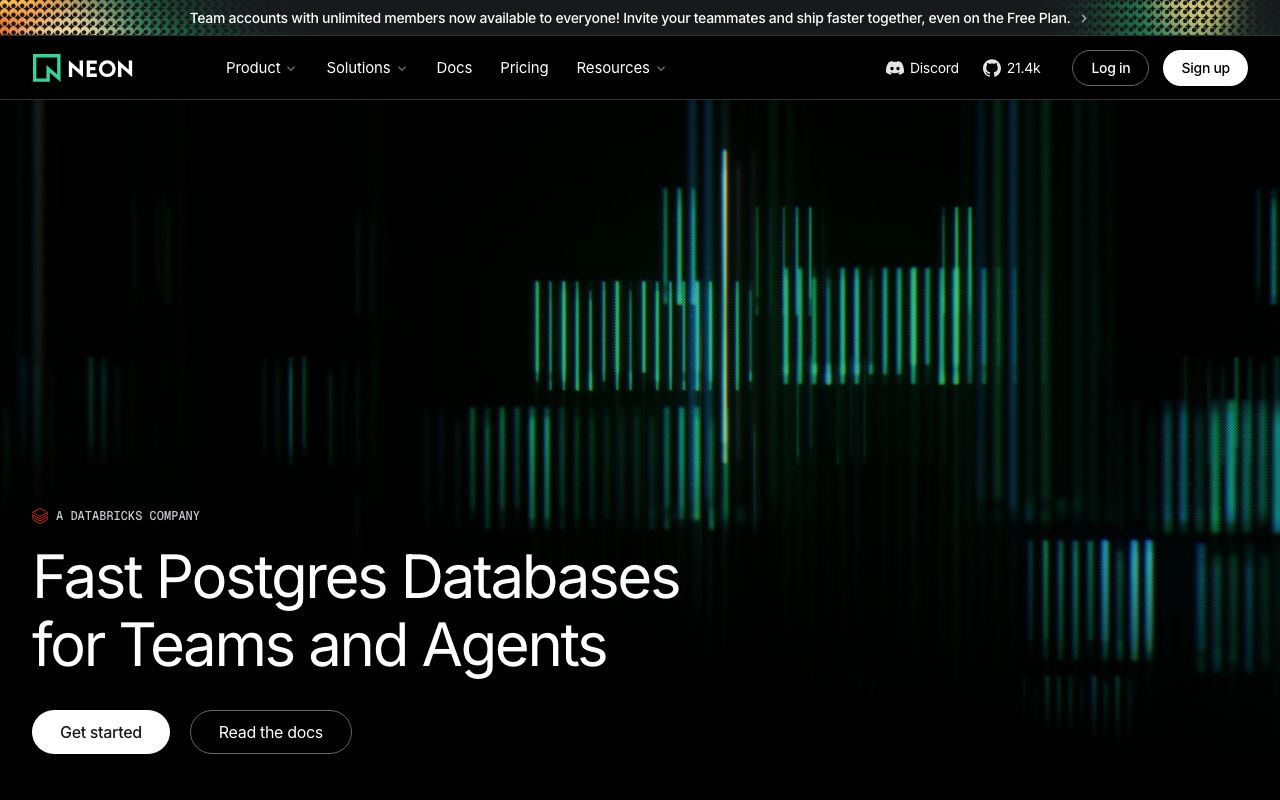
Neon channels its name — a glowing green on pitch-dark surfaces creates a cyberpunk-inflected developer aesthetic. Every interface element feels fast and precise, built for developers who want serverless Postgres to feel like it runs at light speed.
Key Characteristics:
- Neon green on near-black — signature glow effect
- Minimal chrome, maximum content
- Inter throughout for technical clarity
- Dark-only — no light mode
2. Color Palette & Roles
Primary
- Neon Green (
#00E599): Primary accent, CTAs, active states - Green Dark (
#00B87A): Hover state
Accent Colors
- Electric Blue (
#0EA5E9): Secondary info elements, links
Neutral Scale
- Text Primary (
#EDEDED): Body and headings - Text Secondary (
#A0A0A0): Metadata, captions - Text Muted (
#6B6B6B): Placeholders
Surface & Borders
- Background (
#0C0D0D): App background - Surface (
#1A1B1E): Cards, panels - Surface Raised (
#242528): Inputs, code blocks - Border (
#2E2F33): Dividers
Semantic / Status
- Success (
#00E599): Active branches, healthy (uses brand green) - Error (
#FF4444): Failed connections, errors - Warning (
#F59E0B): Approaching limits
3. Typography Rules
Font Family
Primary: Inter, fallback: system-ui, sans-serif. Code: JetBrains Mono
Hierarchy
| Role | Font | Size | Weight | Line Height | Letter Spacing | Notes |
|---|---|---|---|---|---|---|
| Display | Inter | 48px | 700 | 1.1 | -0.02em | Marketing hero |
| H1 | Inter | 32px | 700 | 1.2 | -0.01em | Page titles |
| H2 | Inter | 22px | 600 | 1.3 | 0 | Section headings |
| H3 | Inter | 17px | 600 | 1.4 | 0 | Card titles |
| Body | Inter | 15px | 400 | 1.6 | 0 | UI body |
| Small | Inter | 13px | 400 | 1.5 | 0 | Labels, meta |
| Code | JetBrains Mono | 13px | 400 | 1.6 | 0 | SQL, keys |
Principles
- Dark surfaces require slightly larger text for the same apparent weight
- Monospace for all database identifiers and code
4. Component Stylings
Buttons
- Primary: bg
#00E599, text#0C0D0D, padding9px 18px, radius6px, font 14px/600 - Secondary: bg
transparent, border1px solid #2E2F33, text#EDEDED - Danger: bg
#FF4444, text#FFFFFF
Cards & Containers
- bg
#1A1B1E, border1px solid #2E2F33, radius8px, padding20px
Inputs & Forms
- Border
1px solid #2E2F33, bg#242528, radius6px, padding9px 14px, text#EDEDED - Focus: border
#00E599
Navigation
- Left sidebar
#111213, 240px - Top nav
#0C0D0D, 56px, border-bottom#1A1B1E
5. Layout Principles
Spacing System
- 4px — Tight icon gaps
- 8px — Label padding
- 12px — Input padding
- 16px — Card padding
- 20px — Card content
- 24px — Section gaps
- 32px — Component separation
- 48px — Page sections
Grid & Container
- Max width 1200px. Sidebar layout: 240px fixed + fluid content.
Whitespace Philosophy
Dark backgrounds absorb light — use generous padding to prevent visual compression.
Border Radius Scale
- None (0px): Full-width table rows
- Sm (4px): Tags, badges, chips
- Md (6px): Buttons, inputs
- Lg (8px): Cards, panels
- Full (9999px): Status dots, avatars
6. Depth & Elevation
| Level | Treatment | Use |
|---|---|---|
| Flat | none | Background surface |
| Raised | 0 0 0 1px rgba(255,255,255,0.05) | Cards |
| Overlay | 0 4px 16px rgba(0,0,0,0.5) | Dropdowns |
| Modal | 0 8px 40px rgba(0,0,0,0.6) | Dialogs |
Dark UIs use ring-based elevation more than shadow.
7. Do's and Don'ts
Do
- Use neon green at small doses — a small CTA button, not a full background
- Maintain consistent dark surfaces across all views
- Use JetBrains Mono for all database and code content
Don't
- Don't use green for error or warning states — it's the brand color
- Don't add a light mode — Neon is dark-only by design
- Don't place neon green text on
#1A1B1E— contrast is marginal
8. Responsive Behavior
Breakpoints
| Name | Width | Key Changes |
|---|---|---|
| Mobile | 0–767px | Sidebar hidden, hamburger menu |
| Tablet | 768–1023px | Collapsible sidebar |
| Desktop | 1024px+ | Full sidebar + content |
Touch Targets
Minimum 44×44px. Branch selector buttons are 40px + 4px padding.
Collapsing Strategy
Sidebar slides in from left on mobile. SQL console scrolls horizontally.
9. Agent Prompt Guide
Quick Color Reference
- Primary CTA: Neon Green (
#00E599) — text is black (#0C0D0D) on this - Background: Near-black (
#0C0D0D) - Surface: Dark gray (
#1A1B1E) - Text: Light gray (
#EDEDED) - Border: Dark border (
#2E2F33) - Error: Red (
#FF4444)
Iteration Guide
- CTA text on neon green must be black — the green is too bright for white text
- All borders are very subtle on dark — use
#2E2F33 - Cards and surface are
#1A1B1E, one step lighter than background - Status dots use brand green for active/healthy
- Inputs have a slightly lighter bg (
#242528) than cards